Cron Expression Generator
Type a cron expression and read it back in plain English, with the next 5 run times in any timezone — the part most cron tools skip, and the part that catches the “wait, whose midnight?” mistakes.
The 5 fields
A cron expression is five space-separated fields: minute hour day-of-month month day-of-week. Each accepts a number, a range (1-5), a list (0,30), a step (*/15), or * for any value.
| Field | Values | Example |
|---|---|---|
| Minute | 0-59 | */15 = :00, :15, :30, :45 |
| Hour | 0-23 | 9-17 = business hours |
| Day of month | 1-31 | 1 = the 1st |
| Month | 1-12 or JAN-DEC | */3 = quarterly |
| Day of week | 0-6 or SUN-SAT (0 and 7 = Sunday) | 1-5 = weekdays |
Two rules that surprise people. When both the day-of-month and day-of-week fields are restricted, the job fires when either matches — 0 9 1 * 1 runs on the 1st and every Monday. And there is no seconds field: standard cron's resolution is one minute, so 6-field expressions belong to Quartz and Spring, not crontab.
Common schedules
Timezones: where cron schedules quietly go wrong
Cron evaluates expressions in the daemon's timezone — on most servers, UTC. A report scheduled at 0 9 * * * lands at 11:00 or 12:00 Helsinki time depending on the season. Modern crons honor CRON_TZ=Europe/Helsinki in the crontab; the preview above lets you check any expression against any IANA zone before you find out the hard way.
Running SQL on a cron schedule
If the thing you are scheduling is a database query, you can skip the server, the crontab, and the script that emails a CSV. SaturnSQL runs saved SQL queries on a cron expression — the same 5-field syntax as this page, with a real timezone field — and delivers the results to Google Sheets or Slack. Minimum interval 5 minutes.
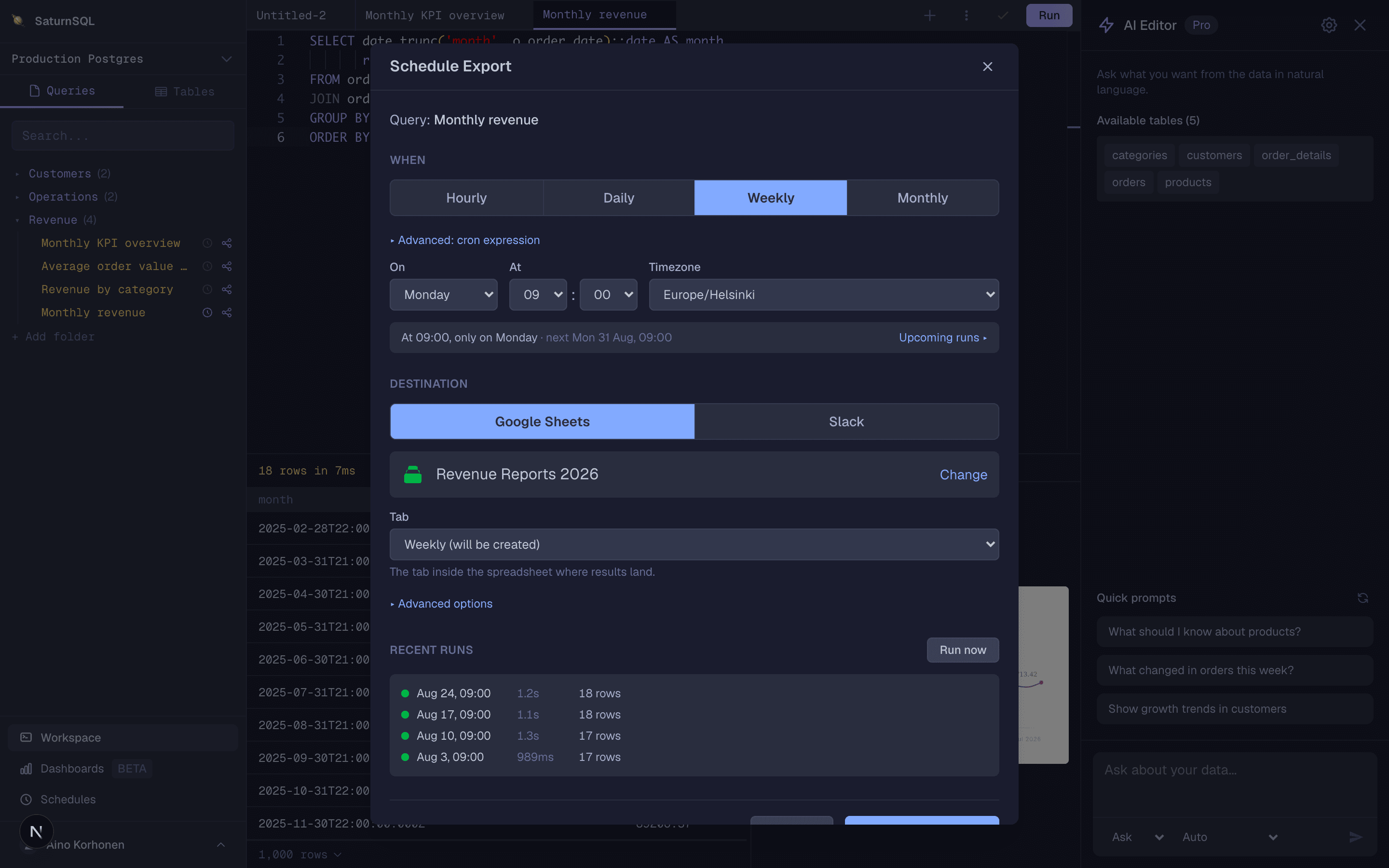
Schedule a SQL query instead of a shell script.
